
Can your PC run Motocross The Game?
Compare your machine with the Windows requirements published on Steam. The minimum column is the listed starting point. Steam does not attach a resolution or frame-rate target to either tier.
| Component | Minimum | Recommended |
|---|---|---|
| Windows | Windows 10, 64-bit | Windows 11, 64-bit |
| CPU | Ryzen 3 5300G or Core i3-12100F | Ryzen 5 5600X or Core i5-12600K |
| Memory | 16 GB | 32 GB |
| GPU | RX 6500 XT or GTX 1650 Super | RTX 3060 Ti, RTX 4060 Ti or RX 6700 XT |
| DirectX | 11 | 12 |
| Free storage | 30 GB | 50 GB |
| Internet | Broadband | Broadband |
On Windows, open Task Manager → Performance to see your CPU, RAM and graphics adapter. If you see two GPUs on a laptop, compare the dedicated GPU with the Steam listing. Laptop and desktop graphics chips with similar names can perform differently. Check free space on the drive where you plan to install the game, and allow room for updates.
What are you buying?
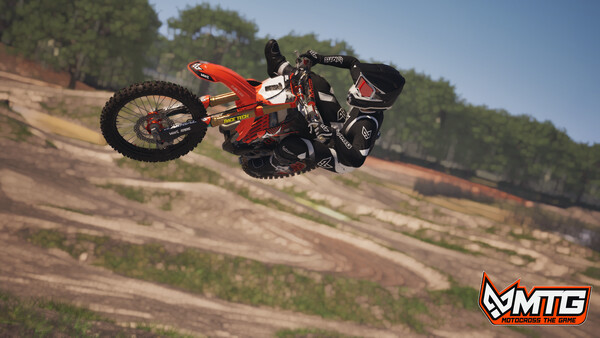
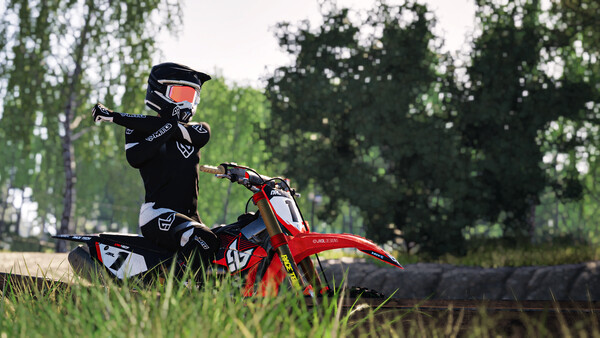
Virtual MX Studios simulates the rider and the motorcycle separately. Weight transfer affects how the bike enters a corner and how it pitches in the air. The 250F and 450F use different engine and suspension models. The studio describes hard-pack at Rödeby, ruts at Midsummer Carnage and sand at Pacific Crown. That's a useful distinction if you're deciding whether you want a simulator where terrain and bike setup matter.
Start with a repeatable lap
If you're new to motocross sims, start with one bike and one track. Use the available rider assists and focus on putting together several clean laps. In Time Attack, compare runs on the same track and in the same bike class. Once your laps are consistent, change one assist or setup choice at a time so you can tell what affected the ride.
Check what Early Access includes
The developer's Early Access notes describe peer-to-peer races, parties and lobbies, multiple bikes, tracks, and rider customization. Those notes list dedicated servers for up to 40 riders, further terrain deformation, and licensed bikes among planned additions. If you're buying for a specific feature, check the latest build notes before ordering.
What changes during Early Access?
Early Access lets the studio revise the handling, race features and tracks while players are using the game. If the feature that matters to you is a particular race format, match size or bike, compare the current build notes with the developer's roadmap before you buy. The developer's Steam notes describe peer-to-peer races and put larger dedicated-server races among planned additions. A feature listed on the general store description may be part of the longer-term vision.
For solo practice: Check whether the current build has the tracks and bikes you want to learn. Time Attack is useful if you want to measure a lap without the variability of a crowded race. Record the track and bike class alongside the time so the next attempt is a fair comparison.
For racing with friends: Check how a room is hosted, whether your group can join the same build, and which private-room options are available. If you're planning a league, verify those details in the latest build notes and try a small session before committing to an event format.
For console players: Follow platform announcements for PS5 or Xbox Series X|S. A date for Steam does not set a date for the console versions. Crossplay is part of the announced direction, and the modes that support it will matter more than the label alone.
How MTG compares with other motocross games
| Game | What to evaluate |
|---|---|
| Motocross The Game | The rider and bike are simulated separately. Watch full laps to see how the rider shifts weight into a corner or sets the bike's pitch in the air. |
| MX Bikes | PiBoSo describes a dedicated motorcycle physics engine, bike setup and changing terrain. If you already ride it, compare what happens entering and leaving a rut, plus how much your group depends on third-party tracks. |
| MX Simulator | Its developer emphasizes physics-driven rider and bike behavior and offers a downloadable demo. It is an option if you want to try another simulation before committing. |
| MXGP 2021 | Milestone’s licensed championship game is a different reference point if your priority is official riders, teams and championship tracks. This comparison refers specifically to the 2021 edition. |
There is no single ranking that fits every rider. If your priority is organized online competition, compare the multiplayer modes available today. If you mostly ride alone, compare camera views, assists and whether you enjoy practicing on the layouts currently available. The MX Bikes comparison guide expands on handling, private races and community content.
Sources: MX Bikes on Steam · MX Simulator official site · MXGP 2021 on Steam
Before your first install
Use the PC requirements checker to flag obvious gaps, then check the exact CPU and GPU models against Steam. Installed memory and free space are only two parts of the picture. If you use a laptop, identify the graphics chip your games actually run on. If your machine matches the published minimum, that still leaves frame rate dependent on your resolution, settings and the current build.
If you bought through the official preorder site or Kickstarter, check the key and download guide before buying another copy. A missing email and a redeemed game that is not yet downloadable are different problems. For the latest public release status, compare the dated release guide with the Steam listing.
What to look for in the gameplay video
Watch a full corner from braking to exit. Notice how early the rider moves across the track, how the bike reacts when it leaves a rut, and how much correction is needed before the next jump. Then watch the same section again with your attention on the camera. If you usually play in first person, footage from a chase camera can tell you about the line but will give you a different sense of speed and visibility.
The footage above shows a pre-release build. Use it to decide whether the rhythm of riding appeals to you. For a first session, pick one section you can repeat and focus on a consistent exit before chasing a faster lap. The first-ride guide lays out a short practice session you can follow.
Frequently asked questions
Can I play it online in my browser?
The PC edition installs through Steam. This guide links to the official store. Online multiplayer in the installed game is a separate feature.
Is the console version available?
The studio lists PS5 and Xbox Series X|S as follow-up platforms. Check the PS5 guide and Xbox guide for the currently confirmed plans.
Do I need another account?
Steam lists an MTG account and Easy Anti-Cheat. Review the store's current disclosures if account linking or anti-cheat affects your purchase.
Where should I check release status and price?
Use the Steam listing for current regional availability and price. Follow the release date guide for the public PC launch and preorder timeline.
Steam requirements and store · Steam updates · Official game website